Nomad eSIM: Prepaid Data Plan
- 4.7
- Rating
- 1.00M
- Installs
- Free
- Price

 Analysis by App-foxy
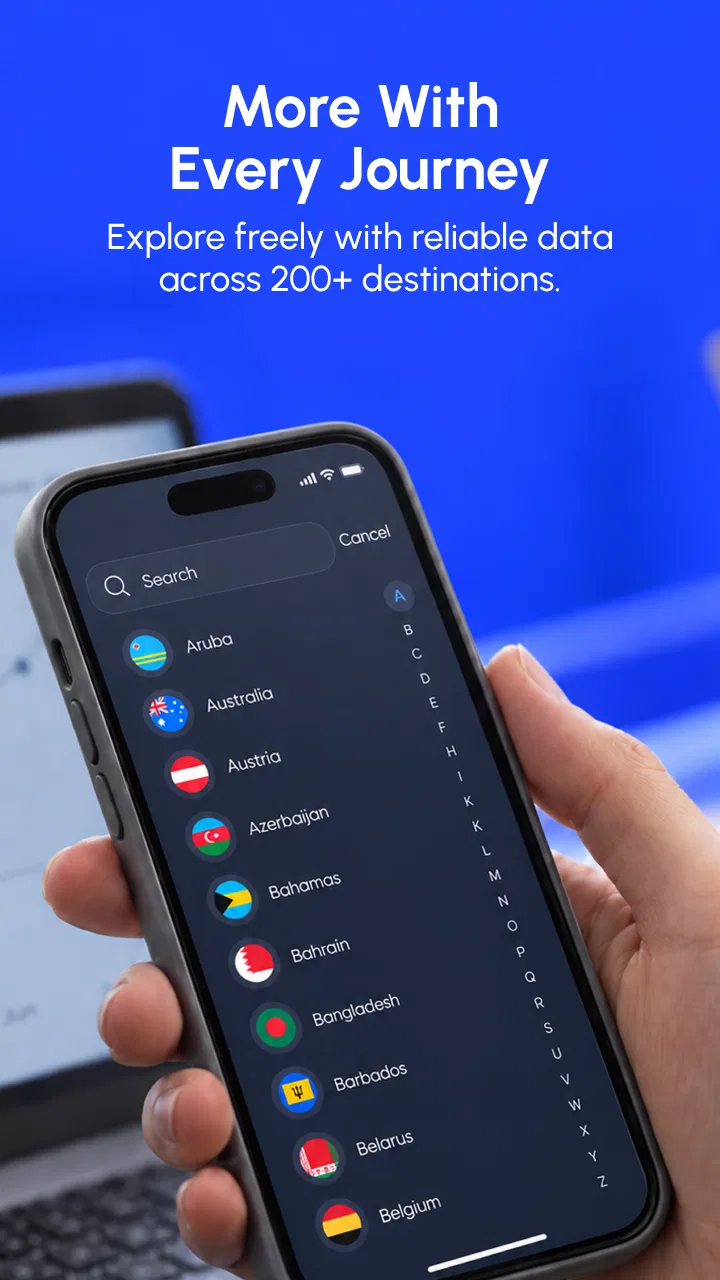
Travel connectivity usually fails at the least convenient moment: after landing, while trying to order a ride, open a map, or send a message to the person waiting for you. I found Nomad eSIM: Prepaid Data Plan useful because it focuses on that specific problem rather than asking me to arrange a traditional physical SIM before every trip. It is a free travel and local app from LotusFlare Inc, and its basic idea is simple: choose a suitable prepaid data plan, install an eSIM, and use mobile data abroad.
That simplicity is appealing, but an eSIM is not quite as effortless as downloading an ordinary app. The most important part of the experience happens during setup, where a wrong choice in the phone’s mobile settings can make a perfectly valid plan appear not to work. My overall impression is that Nomad eSIM is a strong option for travelers who are comfortable checking a few settings themselves. It is less suitable for someone who wants a completely hands-off connection or who depends on traditional voice and text service as much as data.
Where the experience usually gets stuck
The first point of friction is understanding what the app actually provides. Nomad eSIM is mainly about mobile data for travel. That makes it convenient for maps, messaging apps, email, translation tools, ride-hailing, and browsing, but it should not automatically be treated as a replacement for a normal carrier plan. I would decide in advance which tasks need data and which still depend on my regular number.
You May Also Like

 Blood Strike: 2.5 Anniversary
Blood Strike’s Loadouts Turn Every Drop Into a Tactical Gamble
A close look at Blood Strike’s custom loadouts: how fast access to signature weapons reshapes its battle royale rhythm, rewards preparation, and narrows the gap between fights.

 Pandora - Music & Podcasts
Pandora’s Music Is Easy to Start, but Harder to Recover
Pandora’s strength is its low-effort path from a seed to a station. Its weak spot is how much confidence it asks you to place in connection, setup, and quiet recovery.

 8 Ball Pool
 Is Built on Rivalries, Rematches, and Routine
A close look at the rivalries, rematches, shared routines, and unanswered safety questions that turn a quick pool match into a persistent mobile community.

 Samsung Music
’s Quiet Strength Is Playing What You Already Own
Its reach comes less from spectacle than from dependable access to a personal library. That simplicity is both the app’s strongest retention engine and its ceiling.

 AccuWeather: Weather Radar
AccuWeather Review: A Quick, Clear Forecast for Everyday Decisions
For everyday plans, the best forecast is the one you can understand quickly. AccuWeather makes rain timing, radar, and local conditions easy to act on, with a few trade-offs.

 Hill Climb Racing
Why Hill Climb Racing Still Turns Crashes Into One More Run
A tiny car, a bumpy hill and one more upgrade: Hill Climb Racing keeps resurfacing because its simple chaos makes every near-miss feel personal.
More From Our News Desk



That distinction matters when arriving in a new country. I can keep my usual SIM available for important calls or account verification while directing mobile data through the travel eSIM. However, using the wrong line for data can lead to confusion, especially if both lines remain active. Before departure, I would write down which line is intended for data and confirm that the phone lets me select it separately from the line used for calls.
Another common stumbling block is installing the eSIM too early or at the wrong time. Installation and actual use are not always the same event. A traveler may add the eSIM while still at home, then expect it to connect immediately even though the plan is intended for use in a destination network. I prefer to install while I still have reliable Wi-Fi, but I wait until the trip is close before changing the active data line. That gives me a chance to prepare without accidentally altering my everyday connection.
Phone compatibility is also more complicated than simply having a recent handset. The device needs eSIM support, and it may need to be unlocked for use with another network. If the phone is tied to a carrier, a travel eSIM may not activate as expected. I would check the phone’s mobile-network settings before buying anything and make sure the model supports adding a second cellular plan. This is a more important check than the app’s attractive interface or its high user rating.
The app has earned a 4.7 average from around 16 thousand ratings, and it has passed the one-million-install mark. Those figures suggest that the service is well established among travelers, but they do not remove the need to understand the device side of the setup. In my experience, many apparent app problems are really caused by a locked phone, a disabled line, or a data-selection setting.
What I check before leaving home
I start by confirming that the phone can add an eSIM and that it is not restricted to one carrier. I also make sure the operating system meets the app’s requirement of version 9 or newer. Then I update the app if needed; the current version is 10.16.1, so using an older installation may present a different layout from the one described in current instructions.
I also make room for a calm installation. I do not begin the process in an airport queue or on a train with unstable public Wi-Fi. A reliable connection is useful while downloading the eSIM profile, and having time to read each screen prevents the most common mistake: selecting the new line for everything when I only wanted it for data.
Before changing settings, I take note of my usual SIM’s label. Clear labels such as “Home” and “Travel” are far easier to understand than two identical entries. I would also check whether the phone offers a setting for automatic mobile-data switching and leave that disabled unless I specifically want the device to move between lines. Automatic switching can be convenient, but it makes troubleshooting harder because the phone may not be using the line I think it is.
One practical tip is to keep the app accessible after installation rather than treating it as disposable. If I need to review the plan, check instructions, or revisit support guidance, having the app ready is more useful than relying on a screenshot taken during setup. I would also save the essential account details securely before traveling, since recovering access can be more awkward when I am already offline.
Installing the plan without creating a second problem
Once I have selected a destination plan, I follow the installation instructions carefully and avoid rushing through the phone’s prompts. The exact wording varies between Android and iOS, but the important choices are consistent: identify the new cellular line, decide which line handles mobile data, and determine whether the regular line remains active.
I normally keep the regular line available for calls and messages, while assigning mobile data to the Nomad line after reaching the destination. I then give the travel line a clear name. This arrangement lets me continue receiving important messages on my normal number while using the prepaid plan for maps and online services. It is not a substitute for understanding roaming charges from the regular carrier, so I would review that carrier’s roaming settings separately.
After installation, I do not judge success solely by seeing the eSIM listed in the phone. The profile can be present while its line is turned off, while mobile data is assigned elsewhere, or while the phone has not yet connected to a supported local network. I check the line status, the selected data line, and the phone’s cellular-data setting in that order.
The most useful setup habit is to separate installation, activation, and data selection in your mind. They are related, but they are not identical. Treating them as three separate checks makes it much easier to identify what went wrong instead of reinstalling everything unnecessarily.
Recovering when the connection does not appear
If data does not work after landing, I begin with the least disruptive checks. I confirm that the travel line is enabled, that it is selected for mobile data, and that the phone has a usable signal. I then turn airplane mode on briefly and off again. This forces the phone to search for a network without deleting or reinstalling the eSIM.
I also check whether the regular SIM is still selected for data. This is surprisingly easy to miss when the phone has two lines. If the travel line is selected but there is still no connection, I restart the device and look again at the cellular settings. A restart can help the phone complete network registration after a new line has been enabled.
Another sensible check is data roaming for the travel line. Travel eSIMs commonly require the relevant roaming option to be enabled so the line can connect outside its home network. I would enable it for the Nomad line only, rather than changing the setting for every line without knowing which one is affected. On a dual-SIM phone, precision matters.
I avoid deleting the eSIM as a first response. Removing it can turn a small configuration issue into a more complicated recovery task. It is better to verify the line, data selection, signal, and roaming setting before taking an irreversible step. I would also avoid repeatedly tapping activation controls if the app already shows the plan as installed; repeated attempts do not necessarily improve network registration.
If the phone shows a signal but apps still cannot connect, I test more than one service. A browser page, a messaging app, and a map request can reveal whether the issue affects all data or only one application. I also check whether a Wi-Fi network is still connected, because a weak or restricted Wi-Fi connection can make it seem as though the mobile plan is failing.
For a realistic arrival-day workflow, I would do this while still inside the airport: connect to airport Wi-Fi, confirm that the Nomad line is installed, select it for mobile data, enable the relevant roaming setting, and open a simple webpage. Then I would turn Wi-Fi off briefly and test mobile data before leaving the terminal. This small test is much less stressful than discovering the problem in a moving taxi.
When the app is not the cause
There are several situations where the app may be working correctly while the phone or local network is responsible for the failure. A carrier lock is one example. An incompatible handset is another. A phone can look modern and still lack eSIM support, or it may support eSIM but restrict its use because of the original carrier.
Coverage also varies by location. A plan can be active while the exact place where I am standing has weak service, indoor obstruction, congestion, or no usable partner signal. I would move outdoors or to a clearer area before concluding that the plan is defective. If service appears after moving, the problem was likely local reception rather than installation.
Temporary network registration problems can happen after crossing a border or changing between networks. In that case, toggling airplane mode, restarting the phone, or manually reviewing the selected line may help. I would not immediately change multiple advanced settings at once, because that makes it difficult to know which change solved the problem.
It is also worth checking the phone’s battery-saving behavior. Aggressive power management can restrict background activity or delay notifications, making the connection seem unreliable even when a webpage loads normally. If maps work but messages arrive late, I would inspect the affected app’s background-data and battery settings rather than blaming the eSIM automatically.
Nomad eSIM is not the best answer for every travel pattern. If I need a local phone number, frequent voice calls, or services tied tightly to a domestic carrier, a physical local SIM may be more appropriate. A regular roaming package may also be preferable for a short trip when keeping one familiar number and one support channel matters more than finding a separate data plan. The eSIM approach is strongest when my priority is flexible data access and I am willing to manage the phone settings.
Who will get the most from it
I would recommend this app to independent travelers, remote workers, short-term visitors, and anyone moving between destinations who wants to avoid searching for a shop that sells a physical SIM. It is particularly useful for people who already use messaging and calling apps and mainly need data for navigation, reservations, translation, and communication.
It can also suit a traveler who wants to keep a primary SIM installed. That dual-line arrangement is convenient when I need to receive a verification message on my usual number but want to avoid using that line for everyday roaming data. The trade-off is that I must pay attention to which line is active for each purpose.
I would be more cautious about recommending it to someone uncomfortable with cellular settings. The app itself may be straightforward, but eSIM travel requires a little more technical awareness than inserting a physical card. A person who wants a shop employee to install and test everything may have a smoother experience with a local physical SIM or a carrier package that includes direct assistance.
The app is free to install, and its content rating is Everyone, which makes it broadly approachable. The plan purchase and the phone’s network behavior are separate considerations, though. I would compare the available plan details with my expected usage before traveling, especially if I intend to stream video, use a laptop hotspot, or spend a long period away from Wi-Fi.
How it compares with familiar alternatives
Compared with buying a physical SIM at the airport, Nomad eSIM saves the search for a store and avoids handling a tiny card. I also do not have to remove my regular SIM, which reduces the chance of losing it. The physical-SIM alternative can still be better when I need a local number, want in-person help, or use a phone without eSIM support.
Compared with carrier roaming, a travel eSIM gives me a separate data option and lets me leave my main line configured for essential calls or messages. Carrier roaming may be simpler because everything stays under one account, and it may be the better choice for a very short trip or a business traveler who values one support contact above all else.
Compared with relying on Wi-Fi, Nomad eSIM is much more useful outside hotels, cafes, and airports. Continuous data makes navigation and translation practical while walking around. Wi-Fi can still be cheaper or faster in a room, but I would not want it to be my only connection when directions, tickets, or emergency communication depend on being online.
My main trade-off is convenience versus control. Nomad gives me control over the travel data line, but I have to understand dual-SIM behavior. A traditional carrier package hides more of that complexity, while a local SIM may offer more local functionality at the cost of installation effort and a physical-card change.
What I would do before using it on a real trip
I would first confirm eSIM compatibility and carrier unlocking, then install the app and choose a plan that matches the destination and expected data habits. I would prepare the eSIM over dependable Wi-Fi, label it clearly, and leave a note in my phone’s settings about which line should handle data.
On arrival, I would enable the travel line, select it for mobile data, review the roaming setting for that line, and test a webpage with Wi-Fi disabled. If it failed, I would use the short recovery sequence: check the selected data line, toggle airplane mode, restart the phone, and test again from a location with better reception.
I would also keep the regular SIM’s roaming behavior in mind. Leaving a primary line active can be useful, but it may create unwanted charges depending on the carrier and the phone’s settings. The safest arrangement is to decide deliberately whether that line should handle calls, messages, data, or none of them while abroad.
Nomad eSIM: Prepaid Data Plan is maintained by LotusFlare Inc and was released on September 30, 2022. Its current version is 10.16.1, and it supports phones running version 9 or newer of the required mobile operating system. Those details make it a current, established travel tool rather than something I would approach as an experimental download.
My practical verdict
After looking at the complete travel workflow, I see Nomad eSIM as a dependable choice for data-focused travelers who want to prepare before landing. Its greatest strength is not that it eliminates every setup decision; it is that it removes the physical-SIM hunt and gives me a clear way to separate travel data from my everyday number.
The limitations are equally clear. Success depends on a compatible, unlocked phone, careful dual-SIM configuration, and realistic expectations about local coverage. When the connection fails, the fix is often in the phone’s settings rather than inside the app. That is manageable for me, but it may frustrate anyone expecting the experience to be as simple as installing an ordinary app.
For my own trips, I would choose it when I need maps, messaging, bookings, and reliable access away from Wi-Fi, especially if I want to keep my regular SIM in place. I would choose a local physical SIM when I needed a local number or in-person setup, and carrier roaming when simplicity and one-account support mattered more than flexibility. For travelers willing to spend a few minutes checking their phone settings, Nomad eSIM is a practical free starting point for staying connected abroad.
FAQs for Nomad eSIM: Prepaid Data Plan
01What is Nomad eSIM, and how does its prepaid data plan work?
Nomad eSIM is a digital SIM service that provides prepaid mobile data for travelers in many countries and regions. Instead of buying and inserting a physical SIM card, you purchase a plan in the app or on the website, install the eSIM on a compatible phone, and connect to a supported local network after arriving. The plan normally includes a fixed amount of data for a specified validity period, with no traditional voice or SMS allowance unless clearly stated in the plan details.
02Is my phone compatible with Nomad eSIM?
Your device must support eSIM technology and generally be carrier-unlocked before you can use Nomad. Recent iPhone models, many Google Pixel phones, and selected Samsung Galaxy and other Android devices are compatible, but availability can vary by model, country, and carrier version. Before purchasing, check Nomad’s compatibility list and confirm that your phone has an available eSIM slot. On many devices, you can also look for an EID in the SIM settings as an additional compatibility indicator.
03When should I install and activate my Nomad eSIM plan?
You can usually install the eSIM before traveling while connected to reliable Wi-Fi, which makes setup easier once you arrive. However, installation and activation rules may differ between plans. Some packages begin their validity when the eSIM first connects to a supported network, while others may start upon installation or activation. Read the specific plan conditions carefully, and avoid turning on the eSIM’s mobile data line too early if you want to preserve the full travel period.
04Does Nomad eSIM provide unlimited data, phone calls, or text messages?
Nomad offers different prepaid packages, so the included service depends on the destination and plan selected. Many options provide a fixed data allowance, while some may advertise unlimited data subject to fair-use limits, speed reductions, or hotspot restrictions. Most travel eSIM plans are data-only and do not include a local phone number, standard calls, or SMS. You can still use messaging, calling, and navigation apps through mobile data, and Wi-Fi calling may work depending on your primary carrier.
05What should I do if my Nomad eSIM does not connect after installation?
First, confirm that the eSIM is enabled, selected as the mobile-data line, and configured with data roaming if Nomad’s instructions require it. Restarting the phone or manually selecting a supported network can also resolve connection problems. Check that your primary SIM has not been selected for data and that the plan is valid in your current location. If the issue continues, review the plan’s APN instructions and contact Nomad support with your device model, location, and troubleshooting details before deleting the eSIM.
Pros
- Easy activation with QR code; no physical SIM or store visit required.
- Plans cover many countries
- making it useful for frequent travelers.
- App shows data usage and remaining balance in one place.
- Hotspot support is available on many plans and destinations.
- You can keep your primary SIM active for calls and texts.
Cons
- Most plans are data-only and do not include a phone number.
- Prices can be higher than buying a local SIM in some countries.
- Service quality depends on the local partner network and coverage.
- Some plans expire quickly
- even if you have unused data remaining.
- Your phone must be unlocked and eSIM-compatible to use the service.

Nomad eSIM: Prepaid Data Plan
Gallery